Device connection
Select a Xilume CAN FD COM port, connect, and let the application identify the active CAN channel.

Windows PC software for compatible Xilume CAN FD interfaces, covering channel connection, bit timing, CAN and CAN FD transmission, live monitoring, and CSV traffic-log export.
Platform Windows x64
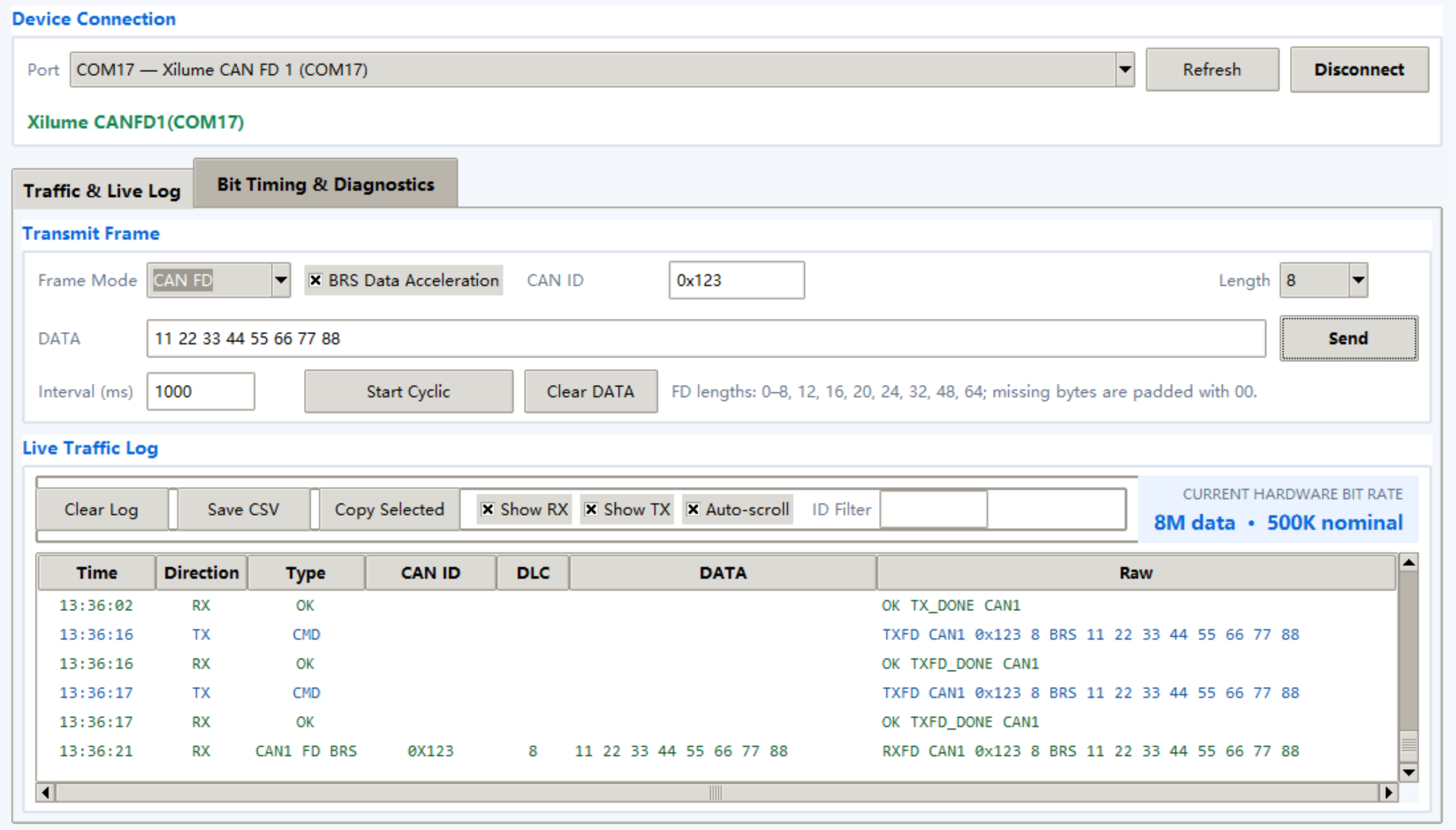
Select a Xilume CAN FD COM port, connect, and let the application identify the active CAN channel.
Choose Classical CAN or CAN FD, then set BRS, CAN ID, length, and data for one-time or cyclic transmission.
View timestamped RX and TX frames with direction, type, CAN ID, DLC, data, and raw content.
Show RX or TX traffic, filter by CAN ID, copy selected rows, and save the traffic log as CSV.
Use presets or custom nominal and data-phase settings, then read the active hardware rate and channel status.
Compatible products Dual Mini PCIe CAN FD, Xilume Octant, Xilume XE826, XL1326, and XL1326-A
Return to Software & Drivers to choose the matching hardware or chip driver package.