SMART-BATTERY INTERFACE

Battery data.
Ready for the host.

Read supported SBS smart-battery data over SMBus and present it through USB to Windows and Linux hosts.

Request pricing
Configured for your battery packVolume pricing available
Request pricingView data path
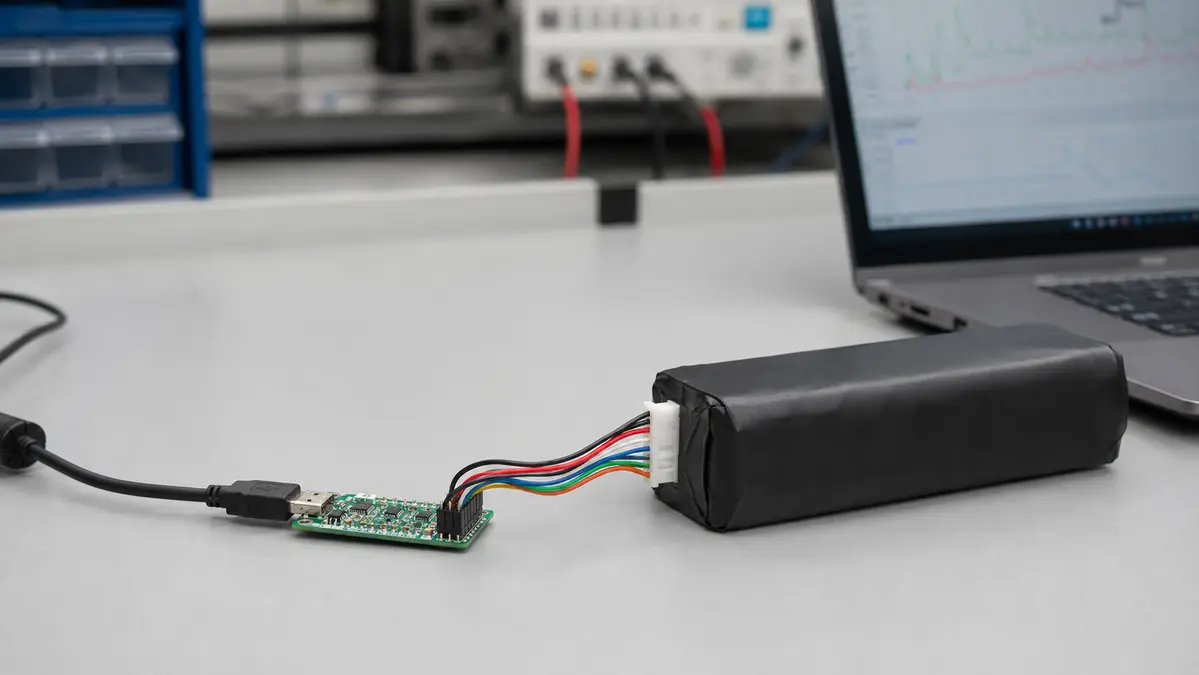
USB battery-data module connected between a battery pack and computer
USB battery-data module
INTERFACE DETAILSBS / SMBus → USB

Bring battery data to the host

Magnified view of the USB battery-data module from the connection image
BATTERY SIDESBS / SMBusSmart-battery data
HOST SIDEUSBSMBus-to-USB interface
PLATFORMSWindows · LinuxHost support
INFORMATIONCharge · runtime · statusBased on pack support

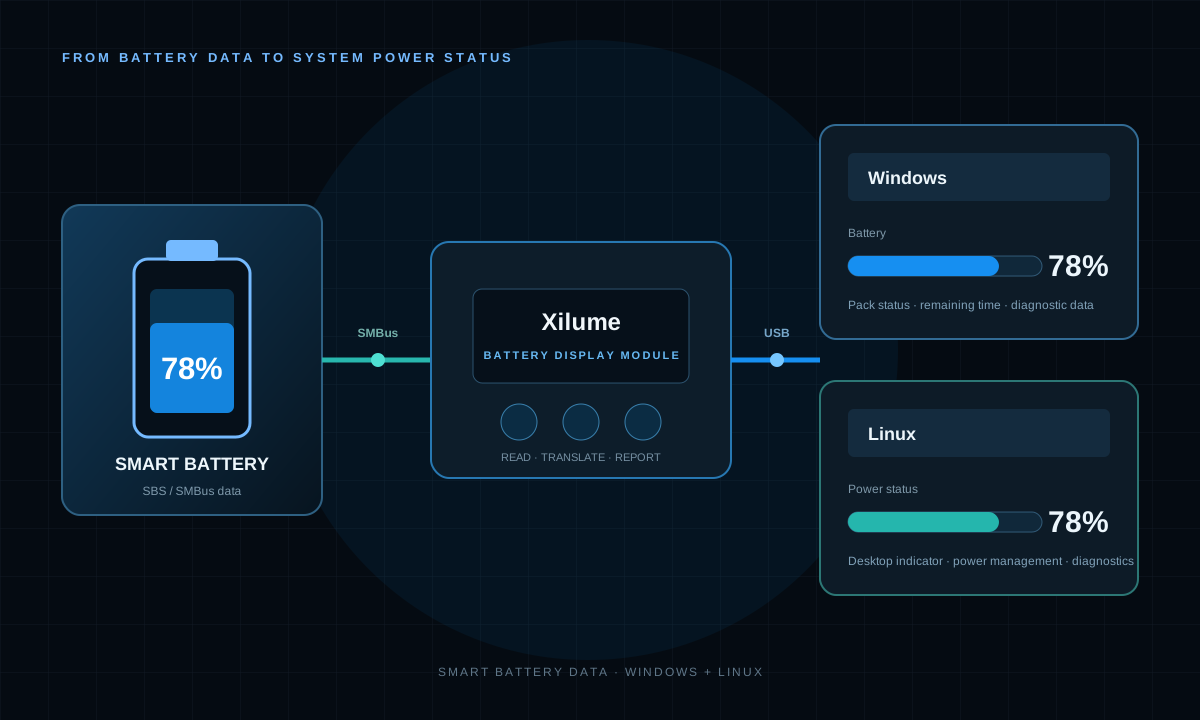
DATA PATH

SMBus battery data for Windows and Linux hosts.

The module reads supported SBS commands from the battery pack and reports the data to the host over USB.
Smart battery connected by SMBus to a Xilume module and Windows or Linux host

Data-path illustration. Host presentation and available fields depend on the selected configuration and battery.

WINDOWS + LINUX

Battery data for host applications.

Read supported SBS fields through the module’s USB interface. Confirm the required system presentation and OS or distribution compatibility before ordering.
WINDOWS

USB host access

Read supported battery fields for Windows applications and diagnostics.

Confirm configuration

LINUX

USB host access

Read supported battery fields for Linux applications and diagnostics.

Confirm distribution

BATTERY INFORMATION

Reported battery data

Available fields follow the commands supported by the connected battery pack.
01State of chargeRemaining percentage and operating state
02Voltage + currentPack voltage and charge/discharge direction
03RuntimeRemaining-time information when available
04CapacityRemaining and full-charge capacity
05TemperaturePack-reported thermal information
06Status + cyclesCycle count, status, and health indicators
Status interface only.

Battery charging, protection, and power-path functions are separate from the battery display function.

APPLICATIONS

Battery status for host-based equipment.

For host-based equipment that needs battery information. Data presentation is matched to the battery and system configuration.

  • Portable industrial computers
  • Mobile robots and AGVs
  • Battery-powered instruments
  • External battery systems
  • Service and diagnostic fixtures

SELECTION AND INTEGRATION

Match the pack. Connect the host.

Configure the interface around the actual battery protocol and host environment.
Battery side
SBS-capable smart battery, with data read over SMBus
Host side
USB data connection for Windows and Linux hosts
Reported fields
Charge, voltage, current, capacity, temperature, status, and pack-supported runtime and cycle data
Compatibility review
Battery model and SBS support, host OS version, required fields, and system presentation
Wiring information
Pinout matched to the battery and board revision; matching connectors can use different pin assignments
  1. Identify the battery

    Provide the pack model, connector pinout, and available SBS data.

  2. Match the connections

    Use the battery and board documentation to verify SMBus, the signal reference, and USB connections.

  3. Verify host reporting

    Check charge level, charge/discharge direction, and the fields required by the target system.

Send the battery and host details

Include the battery interface documentation, host OS version, and required data fields so we can confirm wiring and configuration.

Discuss a battery-module configuration →

BATTERY DISPLAY MODULE

Add SBS battery status to a Windows or Linux host.

Request pricingView interface ICs