
Robot & AGV bring-up
Connect CAN FD to the BMS or chassis, RS-485 to sensors and drives, and RS-232 to configuration ports—all from one computer.

8-CHANNEL USB COMMUNICATION
Connect a Windows or Linux computer to 2 CAN FD, 4 RS-485, and 2 RS-232 channels through one USB connection.
USB INDUSTRIAL COMMUNICATION
Octant connects CAN FD and serial equipment through one USB device, replacing several single-purpose adapters. Control logic continues to run on the computer, PLC, or another controller.
Eight physical channels


Classical CAN and CAN FD, with data rates up to 8 Mbit/s.
WINDOWS PORT ENUMERATION
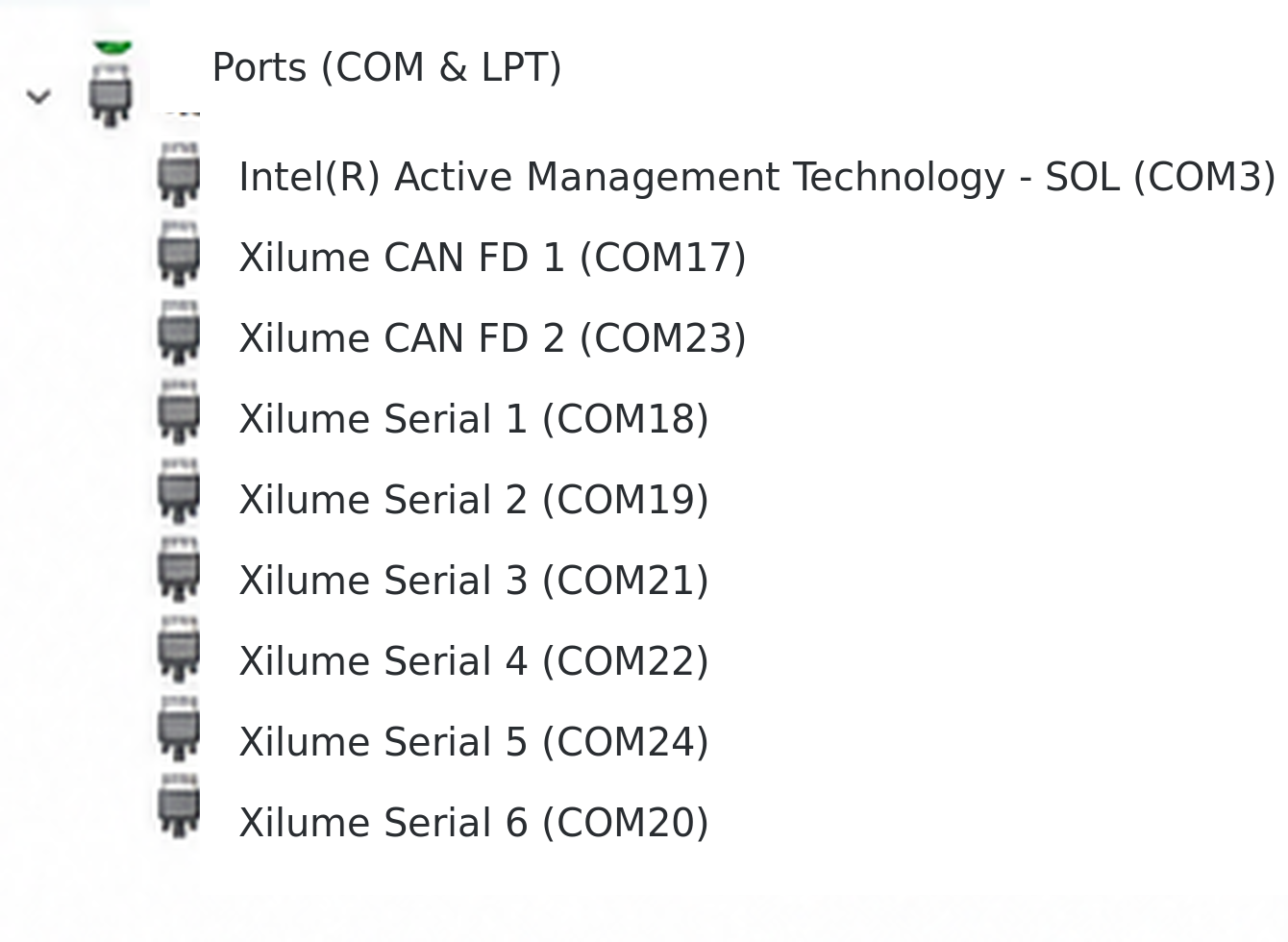
On Windows, the Xilume driver enumerates Xilume CAN FD 1–2 and Xilume Serial 1–6 as separate COM ports. Serial tools can open the serial ports directly; the CAN FD ports use Xilume host software or protocol.
Engineering applications
Use the same interface for bench setup, automated tests, on-site diagnostics, industrial PC expansion, and teaching laboratories.
Connect CAN FD to the BMS or chassis, RS-485 to sensors and drives, and RS-232 to configuration ports—all from one computer.
Run host-side software to transmit, receive, log, and compare data across several connected control boards, drives, or instruments.
Take one interface with a laptop to read faults, change parameters, and inspect communication on site.
Add CAN FD and serial connectivity to a Windows or Linux industrial PC without changing its motherboard.
Teach and develop with RS-232, RS-485, CAN, and CAN FD through one USB interface.
HOST SOFTWARE
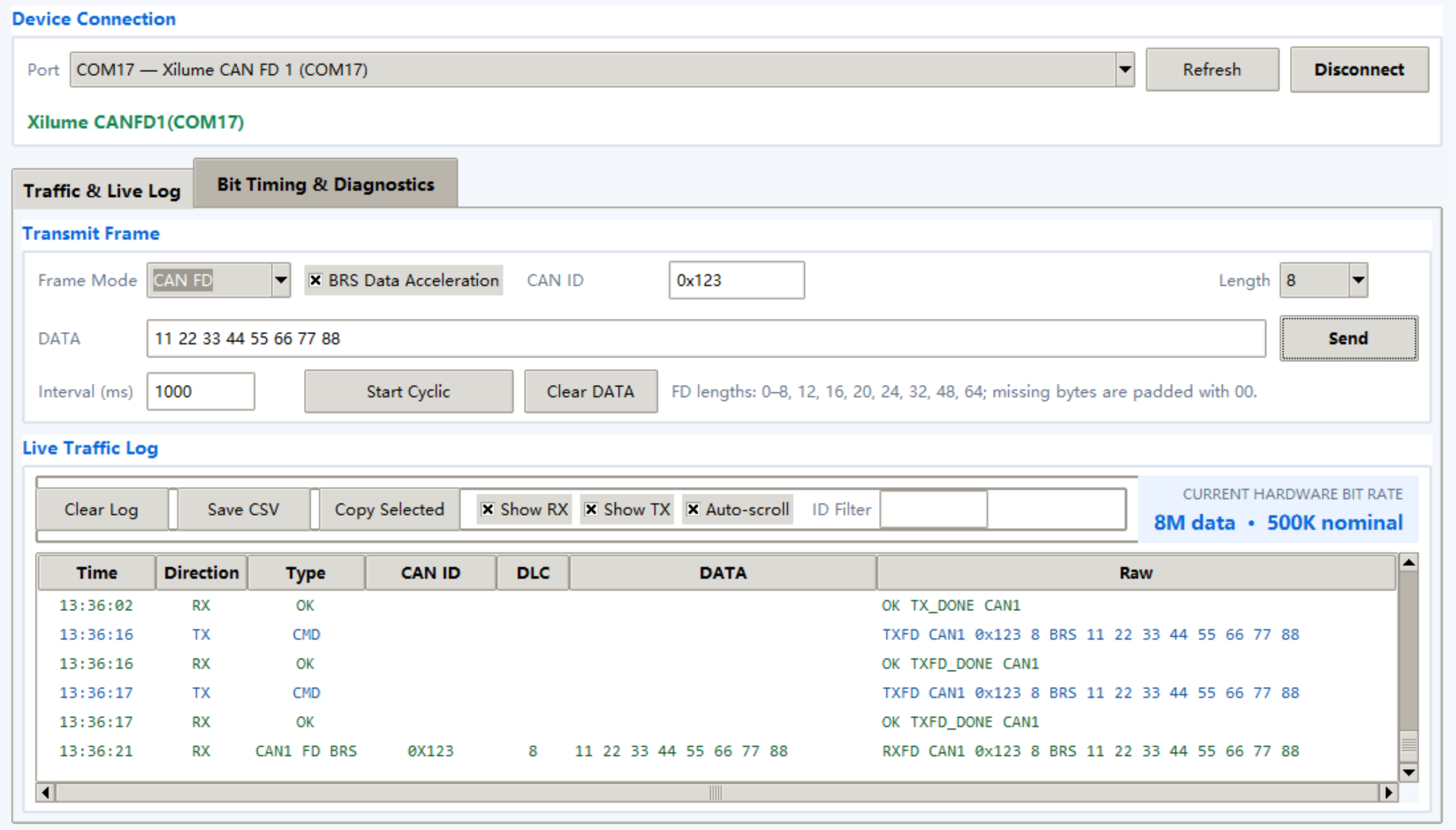
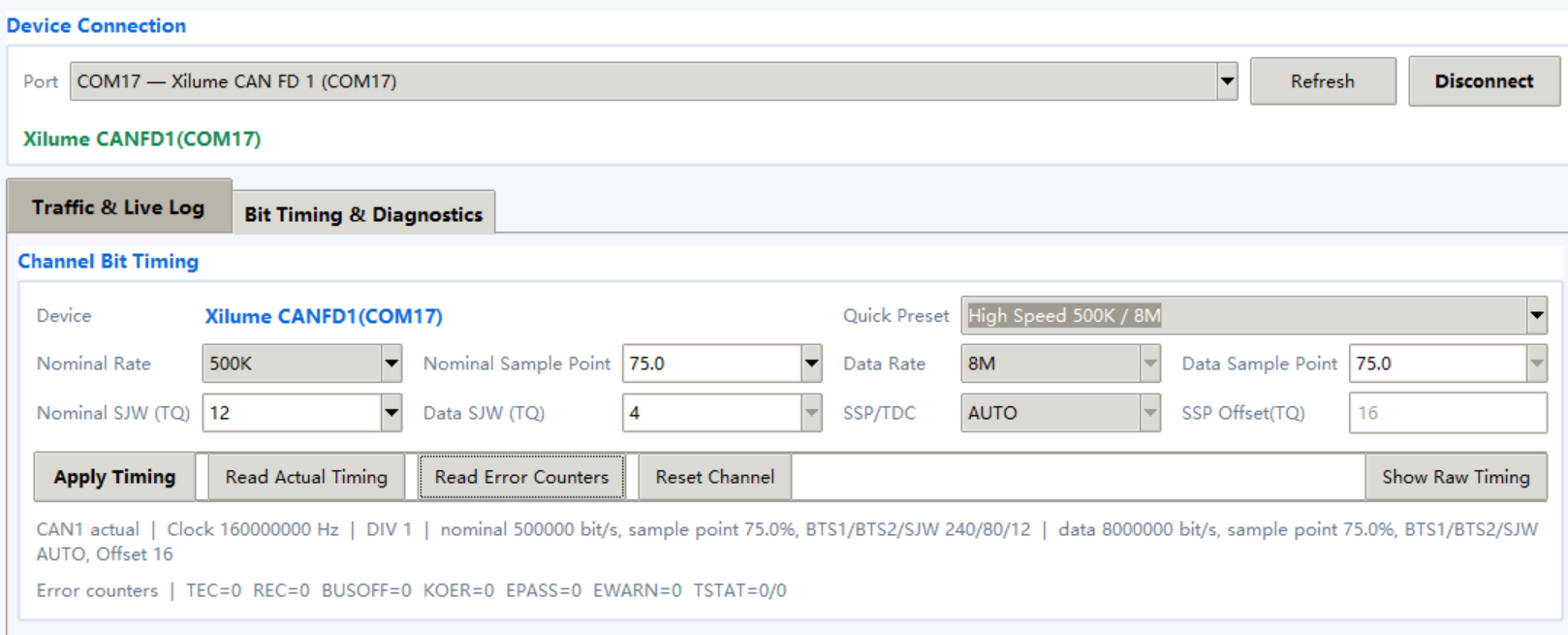
Use Xilume CAN FD Control Center for channel configuration, transmit and receive tests, live traffic monitoring, filtering, and CSV capture.
Product support
8-CHANNEL USB INDUSTRIAL COMMUNICATION HUB · MODEL OCTANT